
How to Get 911 Call Audio and Dispatch Logs After a Cape Coral Crash (who to ask, fees, and timing)
After a crash, people remember flashes. A horn, a jolt, a voice on the phone. Weeks later, the details get fuzzy, but the paperwork doesn’t. If you’re trying to get Cape Coral 911 audio and dispatch logs, you’re usually doing it for a clear reason: insurance, a medical billing fight, or a legal claim where timing matters.
The good news is that Florida public records law gives you a path to request many of these records. The hard part is knowing who actually has them, what to ask for, and how long it’s likely to take.
Below is a practical guide you can use right away.
Who to ask for 911 audio and dispatch logs in Cape Coral
In most Cape Coral crash cases, your first stop is the Cape Coral Police Department (CCPD) because they maintain their own police records under Florida’s public records rules (often called the Sunshine Law, Chapter 119, Florida Statutes). That usually includes items like incident reports, call notes tied to the event, and sometimes audio connected to the call or dispatch.
That said, “911 audio” can be confusing because the recording and the response are not always housed in the same place.
Know the difference between the common record types
Think of these records like layers of the same story, each one answering a different question.
- 911 call audio: The actual recorded phone call. This may capture what the caller reported, background noise, and the operator’s questions.
- Dispatch logs (CAD or “calls for service”): A time-stamped record created as dispatch receives and sends information. It often shows units assigned, times, and short notes.
- Radio traffic audio: Recordings of radio communications between dispatch and officers or EMS units (if recorded and retained).
When you request records, ask for the format you want by name. If you only say “dispatch report,” you might get a short printout when you really needed the audio.
What if someone else handled dispatch?
Some calls in Lee County are routed or supported through county-level communications. If CCPD tells you they don’t have a piece of what you’re requesting, ask one direct question: Was this crash handled through a county dispatch system, or kept fully within CCPD records? That answer tells you whether to submit a second request elsewhere.
Also, don’t waste time filing with the wrong office. For police records, CCPD is the right starting point. City administrative offices usually handle other city documents, not police audio and dispatch materials.
If you’re still in the first days after the wreck, lock down your basics first (photos, witness names, medical visit dates). This checklist helps: What to do right after a car accident in Cape Coral.
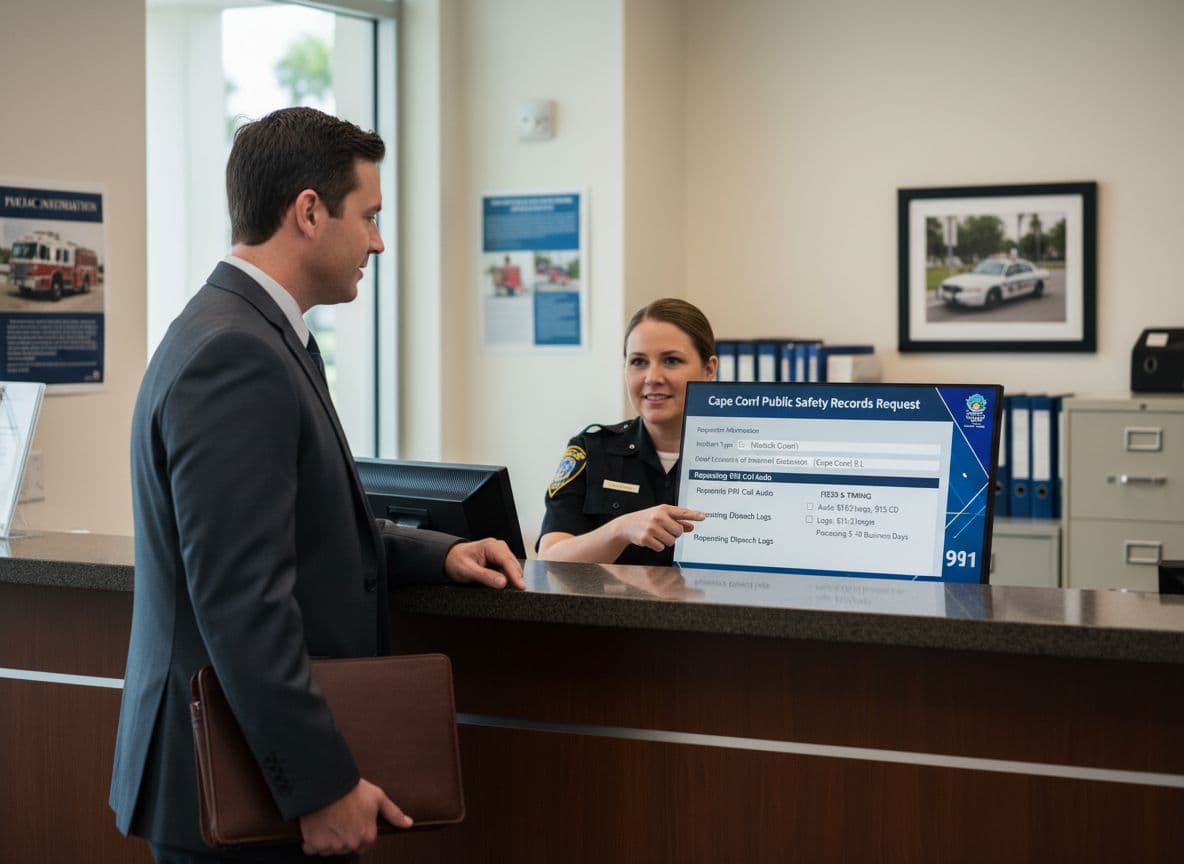
How to request Cape Coral 911 audio and dispatch logs (what to say and how to file)
CCPD commonly directs public records requests through its online public portal on its website. If you can’t use the portal, you can also request records by phone (239-574-3223) and ask about the best submission method for audio.
When you make the request, treat it like ordering the right part for your car. If you say “a tire,” you’ll get questions. If you say “front passenger-side tire, size X,” it moves faster.
Details to include so the records staff can actually find it
Include as many of these as you have:
- Date and approximate time of the crash or 911 call
- Location (street, intersection, nearby landmark)
- Names of involved parties (if known)
- Case number or incident number (if you have it)
- A clear ask for “911 call audio” and “CAD/dispatch logs” related to that crash
If you don’t have a case number, that’s fine. The date, time window, and location often work.
A simple request you can copy (and adjust)
Use plain language. For example:
“I’m requesting the 911 call audio recording and CAD/dispatch log entries related to the motor vehicle crash at [location] on [date] around [time]. If there are multiple calls, please include all calls in the [time range].”
If you want radio traffic too, add one sentence asking for “dispatch radio traffic audio related to the incident, if available.”
Practical tips that prevent delays
- Ask for an estimate first if cost is a concern, and say you want to narrow the request if needed.
- Request electronic delivery if available. It can be faster than waiting for physical media.
- Save a screenshot or copy of what you submitted. If you need to follow up later, you’ll have clean proof of what you asked for and when.
Fees and timing: what it usually costs and how long you’ll wait
Two things drive cost: how much staff time is needed (searching, reviewing, redacting) and how the record is delivered (digital file vs physical media).
Common fees you may run into
While fees vary by agency and by request size, these are common categories:
- Copy fees (for printed pages, if any)
- Audio duplication fees (for exporting audio, or for physical media if required)
- Staff time for extensive requests (research, review, and redaction time)
If you’re requesting just one call and one short set of dispatch notes, the cost is often modest. If you request “all 911 calls and radio traffic from the entire evening,” expect the agency to treat it like a larger project and charge accordingly.
Can fees be waived if you’re the crash victim?
Sometimes agencies reduce or waive certain fees for involved parties, but don’t count on it automatically. If you were involved in the crash, say so in the request and ask whether any fee reductions apply. Be ready to provide proof of identity if requested.
How long does it take?
Timing depends on availability, staffing, and whether the record needs review. Many requests are fulfilled in days to a few weeks, but delays happen when:
- The incident is tied to an active investigation
- The audio contains information that must be redacted
- The request is broad, unclear, or covers many calls
Here’s a quick planning guide:
| Record you request | Typical timing range | What can slow it down | How to speed it up |
|---|---|---|---|
| 911 call audio | Days to weeks | Review and redactions, investigation hold | Narrow the time window, confirm incident details |
| CAD/dispatch logs | Days to weeks | Multiple calls or multiple incidents at one location | Provide date, time, exact intersection, and case number |
| Radio traffic audio (if recorded) | Days to weeks (or unavailable) | Retention limits, review time | Ask if it exists before requesting a wide range |
If they deny or redact the record
A denial doesn’t always mean “never.” It may mean “not yet,” or “not in this form.”
If you get a denial or heavy redactions:
- Ask for the reason in writing (for example, an exemption tied to an investigation).
- Ask whether the record can be released later, and when it may be eligible.
- Consider submitting a narrower follow-up request (shorter time window, fewer items).
Also remember that medical and insurance deadlines can keep moving while you wait. Florida’s PIP rules are strict, and people lose benefits by waiting too long for care. This guide explains the timing trap: Florida PIP 14-day rule for Cape Coral injuries.
Why these records matter for an injury claim (and when to call a personal injury attorney)
A 911 recording can act like the first “snapshot” of the crash, taken before stories harden. Dispatch logs can show time stamps that matter, like how long it took help to arrive, when lanes were blocked, or when a second call came in reporting injuries.
These records can help:
- Confirm the exact time and location of the crash
- Support the fact that injuries were reported early
- Challenge a claim that the crash was “minor”
- Refresh witness memory when details fade
If an insurer is pushing back, or if you’re dealing with serious injuries, a personal injury attorney can request records, track deadlines, and handle follow-ups when an agency delays or cites exemptions. It also helps to understand how records fit into the bigger claims timeline, including why settlement checks can take longer than people expect: Cape Coral car crash settlement timeline explained.
Cape Coral 911 audio and dispatch logs won’t fix what happened, but they can clear up what’s disputed. Make a tight request, ask about fees up front, and don’t let paperwork slow down your medical care or your claim.